
Disclosure: This recipe contains affiliate links. As an Amazon Associate, Culinary Brush earns from qualifying purchases at no extra cost to you.
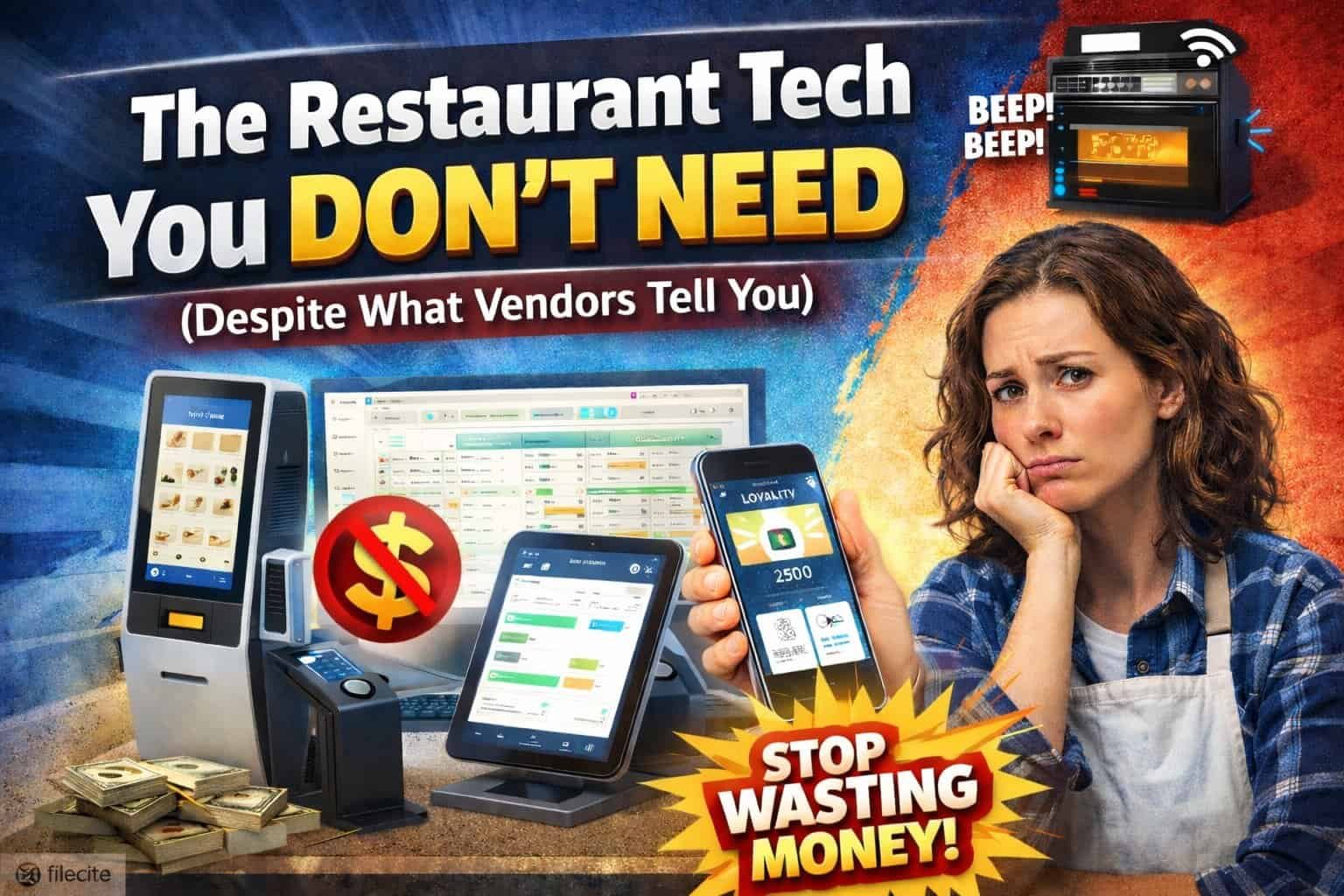
Sarah opened her farm-to-table bistro with $280,000 in startup capital. By the time the doors opened, she’d spent $52,000 on technology: a top-tier POS system with tableside ordering tablets, self-ordering kiosks at the entrance, an AI-powered scheduling platform, smart kitchen equipment that texted her when filters needed changing, a loyalty app built by a local developer, and a reservation system with more features than she could name.
Six months later, here’s what she was actually using: the basic POS functions (ringing up orders and processing payments), a digital kitchen timer, and her iPhone. Everything else sat unused or created more problems than it solved.
She’s not alone. The restaurant technology industry has reached a fever pitch of solutions searching for problems, and vendors have gotten very good at making you feel like you’re falling behind if you’re not buying their latest innovation.
Here’s the uncomfortable truth they won’t tell you: most restaurant tech is designed to be sold, not used. It looks impressive in demos, sounds revolutionary in sales pitches, and then collects digital dust in your operation because it solves a problem you don’t actually have.
Let’s talk about the tech you can skip, the money you can save, and how to build a lean, functional tech stack that actually serves your restaurant instead of the other way around.
Tableside Tablets for Every Server (Unless You’re Fine Dining)
The pitch: Servers take orders and process payments tableside, reducing trips to the POS terminal and speeding up table turns. Customers love the convenience. Your efficiency skyrockets.
The reality: Your servers hate carrying restaurant tablets through a crowded dining room. The tablets get dropped, cracked, covered in food, and need charging mid-shift. Customers actually don’t love being presented with a screen instead of human interaction. And that speed increase? Negligible unless you’re running a fine dining establishment where tableside payment actually matters.
The real cost: $300-600 per tablet, plus $30-50/month per device for the software. For a restaurant with 6 servers, that’s $1,800-3,600 upfront and $180-300 monthly.
What you should do instead:
Skip the tablets entirely for casual and fast-casual operations. Your existing POS terminal works fine. If you want to speed up payment processing, add one handheld card reader that servers can use to process payments tableside without the bulk of a full tablet.
Exception: Fine dining and upscale establishments where tableside ordering creates a white-glove experience, or very high-volume restaurants where seconds per table genuinely matter. Even then, 2-3 tablets shared among staff often suffices. You don’t need one per server.
“Smart” Scheduling Software That Costs More Than It Saves
The pitch: AI analyzes your historical data, predicts volume, and creates optimized schedules that reduce labor costs by 10-15%. It sends automated shift reminders, handles shift swaps, and even predicts who’s likely to call in sick.
The reality: For restaurants with fewer than 30 employees, this is massive overkill. The AI predictions are based on data you already know intuitively (Fridays are busy, we need more servers during brunch). The automated features create as many problems as they solve when staff members claim they never got the notification, or the system approves shift swaps you wouldn’t have approved.
The real cost: $100-300/month for platforms like 7shifts, Deputy, or HotSchedules. That’s $1,200-3,600 annually for scheduling.
What you should do instead:
Use a shared Google Calendar or Excel spreadsheet template. Free. You already know your busy periods. You already know who your reliable employees are. A simple WhatsApp or text group handles shift swaps and callouts just fine.
Exception: Multi-unit operations with 40+ employees where labor cost optimization genuinely requires algorithmic help, or businesses with extremely complex shift patterns and compliance requirements (like California’s predictive scheduling laws).
Self-Ordering Kiosks at the Counter
The pitch: Reduce labor costs, speed up ordering, increase average ticket size through upselling prompts, and appeal to customers who prefer not to interact with staff.
The reality: Unless you’re a fast-food chain processing hundreds of orders per hour, kiosks mostly confuse customers and create bottlenecks. People take longer to navigate menus on screens than they do ordering from a human. When something goes wrong (and it will), you need staff to help anyway. And that increased ticket size from upselling? It’s marginal at best outside of QSR environments.
The real cost: $2,000-5,000 per kiosk, plus $50-150/month in software fees. Most restaurants buy 2-3, so you’re looking at $6,000-15,000 upfront plus ongoing costs.
What you should do instead:
Invest that money in one more well-trained counter person during peak hours. They’ll take orders faster, upsell more effectively through actual human recommendation, and won’t break down requiring a service call.
Exception: True QSR (quick service restaurant) environments with high volume, limited menu, and customers who are already familiar with digital ordering. McDonald’s needs kiosks. Your neighborhood burger joint doesn’t.
Premium Kitchen Equipment With “Smart” Features
The pitch: Ovens that connect to WiFi and send alerts to your phone. Refrigerators with temperature monitoring apps. Fryers that track oil quality digitally. The Internet of Things comes to your kitchen!
The reality: Commercial kitchen staff have managed equipment for decades using thermometers, timers, and their senses. These smart features sound revolutionary until you realize they require constant firmware updates, WiFi connectivity in a hot, steamy environment filled with metal interference, and apps that change interfaces every six months.
When the WiFi connected oven breaks, you can’t just call any repair tech. You need someone certified on that specific smart system. When the app stops working, your staff stands around unable to do basic tasks they could previously do manually.
The extra cost: “Smart” commercial kitchen equipment costs 20-40% more than standard commercial-grade equipment. For an oven, that’s an extra $2,000-4,000. For a commercial reach-in refrigerator, add $500-1,000.
What you should do instead:
Buy standard commercial-grade equipment from reliable manufacturers like True, Hobart, or Vulcan. Add a wireless temperature monitoring system ($200-500) if you genuinely need digital tracking for health department compliance. It’ll be more reliable and far cheaper to maintain.
Exception: Large commissary kitchens or multi-unit operations where centralized monitoring of equipment across locations justifies the cost and complexity.
AI-Powered Chatbots for Phone Reservations
The pitch: Never miss a reservation! AI answers the phone 24/7, books tables, answers menu questions, and integrates with your reservation system. Customers get instant responses and you save on host labor.
The reality: Customers calling restaurants want to talk to a human. They have specific questions (“Can you accommodate a shellfish allergy?” “Do you have a quiet table for a proposal?”) that AI handles poorly. The chatbot misunderstands accents, fails at complex requests, and frustrates callers who just want a person.
Meanwhile, you’ve alienated the exact demographic most likely to call instead of booking online, older customers who are often your highest-spending guests.
The real cost: $50-200/month for services like Slang.ai or Popmenu’s AI phone answering.
What you should do instead:
Use a simple reservation platform like OpenTable (free tier) or Resy, and accept that some calls will go to voicemail during busy periods. Return calls promptly. Or invest in a human host during peak hours their ability to make judgment calls and build rapport is worth far more than AI efficiency.
Exception: Ghost kitchens or delivery-only concepts where phone volume is genuinely overwhelming and questions are repetitive and simple.
Advanced Analytics Dashboards You’ll Never Open
The pitch: Real-time dashboards showing sales by menu item, server performance metrics, hourly revenue trends, customer frequency patterns, predictive modeling for inventory needs, and dozens more KPIs. Data-driven decisions make successful restaurants!
The reality: Most restaurant owners check three numbers regularly: daily sales, food cost percentage, and labor percentage. Everything else is interesting but not actionable. These advanced analytics platforms require time to learn, discipline to check daily, and analytical skills to interpret meaningfully.
The dashboards end up being something you look at in the first week, show investors to seem sophisticated, and then ignore because you’re too busy running the actual restaurant.
The real cost: $200-500/month for platforms like Crunchtime, Restaurant365, or MarketMan’s premium tiers.
What you should do instead:
Your POS system already generates basic reports. Run your daily, weekly, and monthly sales reports. Calculate food cost from invoices. Track labor cost from your payroll system. Put these three numbers in a simple spreadsheet and watch trends over time. This costs you nothing and tells you what you actually need to know.
Exception: Multi-unit operators, franchise systems, or restaurants actively seeking investment/sale where sophisticated analytics demonstrate operational maturity.
Custom Loyalty Apps Built By Local Developers
The pitch: Stand out from chains with your own branded loyalty app! Customers download it, earn points, get push notifications about specials, and feel connected to your restaurant.
The reality: Customers aren’t downloading restaurant apps unless you’re Starbucks. Their phones are already full. Getting people to download your app, create an account, and actually use it requires constant marketing effort and incentives that erode your margins.
Meanwhile, you’re paying $5,000-15,000 upfront for development, $200-500/month for maintenance and hosting, and dealing with app store approvals, iOS vs Android compatibility issues, and push notification management.
The real cost: $5,000-15,000 upfront, $200-500/month ongoing, plus the discount/freebie costs to incentivize downloads.
What you should do instead:
Build an email list using a simple service like Mailchimp (free for up to 500 contacts). Send monthly emails with specials and updates. Or use your existing POS system’s built-in loyalty features (Toast, Square, and Clover all include basic loyalty for free or minimal cost).
If you want mobile engagement, a simple SMS marketing platform like SimpleTexting ($29/month) works better than an app: texts get read, apps get deleted.
Exception: True destination restaurants with cult followings (think barbecue joints with 2-hour waits) where customers are genuinely willing to engage with your brand digitally.
Blockchain, NFTs, and Other Trend-Chasing Tech
The pitch varies, but it always involves: Revolutionary! First mover advantage! The future of restaurants! Accept crypto payments! NFT loyalty programs! Be ahead of the curve!
The reality: These are solutions searching for problems, often sold by people who have never run a restaurant. Cryptocurrency payment acceptance costs you in conversion fees and volatility risk. NFT loyalty programs confuse 99% of your customers. Blockchain-verified supply chains are interesting thought experiments that add zero value to guests choosing where to eat dinner.
The real cost: Variable but almost always more than traditional solutions that actually work.
What you should do instead:
Ignore all of this unless you’re actively trying to build a marketing story around being “cutting edge.” Even then, the ROI is questionable. Focus on executing the basics excellently – good food, good service, efficient operations.
Exception: Genuinely none. If someone tries to sell you restaurant blockchain solutions, politely show them the door.
When You Actually DO Need These Things
Here’s the uncomfortable nuance: some of these technologies genuinely help certain restaurants. The key is being honest about which type of operation you’re running.
You might need tableside tablets if:
– You run white-tablecloth fine dining where tableside payment is expected
– You operate a very high-volume sports bar where seconds per table genuinely impact revenue
– Your average table bill exceeds $150 and payment processing speed matters for table turnover
You might need scheduling software if:
– You employ 40+ people across multiple locations
– You operate in states with complex predictive scheduling laws
– Your labor cost is genuinely out of control and you’ve exhausted manual optimization
You might need kiosks if:
– You process 500+ orders per day in a QSR environment
– Your menu is simple, standardized, and familiar to customers
– Labor costs are prohibitive and automation makes economic sense
The pattern? Scale matters. Technology that’s essential for a 50-unit chain is absurd overkill for a single independent restaurant.
The Tech Stack You Actually Need
Let’s cut through the noise. Here’s what a typical independent restaurant genuinely requires:
Essential (Don’t open without this):
1. POS system – Toast, Square, or Clover. Basic tier is fine. ($0-60/month plus processing fees)
2. Reliable WiFi – commercial WiFi router and WiFi access points. ($200-500 for equipment)
3. Payment processing – Integrated with your POS. (2.6-3.5% + $0.10 per transaction)
Very Important (Buy within first 6 months):
4. Basic security cameras – 4-8 cameras with security camera DVR. ($400-1,200)
5. Reservation system – OpenTable, Resy, or Yelp Reservations. (Free to $249/month)
6. Online ordering – Through your POS or a third-party platform. (Built-in or 15-30% commission)
Nice to Have (Year 2+):
7. Email marketing – Mailchimp, Constant Contact. (Free to $50/month)
8. Accounting software – QuickBooks Online. ($30-200/month)
9. Inventory management – If food cost is a problem. ($100-300/month)
That’s it. Nine items. Total monthly cost: $200-800/month plus payment processing. Everything else is optional at best, wasteful at worst.
How to Say No to Tech Sales Reps
Sales reps are good at their jobs. They’ll make you feel like you’re falling behind, missing opportunities, and leaving money on the table. Here’s your defense:
When they say: “All your competitors are using this…”
You say: “Which specific competitors? Can you give me their contact info so I can ask about their experience?”
When they say: “This will increase revenue by 15%…”
You say: “Can you show me case studies from restaurants similar to mine in size and concept? What was the actual dollar increase?”
When they say: “We’re offering a special deal if you sign today…”
You say: “I don’t make major purchases under time pressure. Send me the contract and I’ll review it with my accountant.”
When they say: “This technology is the future of the industry…”
You say: “Great! Let me revisit this in a year when it’s proven and mature.”
The best sales defense is a simple rule: Never buy technology on the same day it’s pitched to you. Sleep on it. Talk to other restaurant owners. Google “[product name] complaints” and read what goes wrong.
The Real Innovation Isn’t in the Tech
Here’s what vendor-driven tech coverage won’t tell you: the restaurants succeeding right now aren’t doing so because of sophisticated technology stacks. They’re succeeding because of:
– Consistent execution of fundamentals
– Properly trained staff who care about hospitality
– Food that tastes good and arrives on time
– Clean bathrooms and well-maintained dining rooms
– Friendly service that makes people want to return
You can have the most advanced tech stack in town and fail miserably if your food is mediocre and your service is poor. Meanwhile, restaurants with a basic POS, a phone line, and a reservation book thrive because they execute fundamentals excellently.
Technology should serve your operation, not define it. Every dollar you spend on tech is a dollar not spent on ingredients, staff training, marketing, or building a cash cushion for slow months.
The Bottom Line
The restaurant technology industry generates billions annually by convincing operators they need solutions to problems they don’t actually have. Your job isn’t to buy the latest innovation,it’s to run a profitable restaurant.
Start with the essentials: a reliable POS, working internet, and basic payment processing. Add technology only when you’ve identified a specific, recurring problem that tech solves better than training, process improvement, or simply hiring another set of hands.
When vendors pitch you on revolutionary systems, ask yourself: “What actual problem in my restaurant does this solve?” If the answer isn’t immediate and specific, the answer is no.
The most successful restaurant operators aren’t the ones with the most advanced tech. They’re the ones who know exactly which technology serves their operation and which is just expensive distraction.
Save your money. Focus on fundamentals. Let the early adopters work out the bugs, pay the premium prices, and suffer through the learning curves.
Your customers don’t care what POS system you use. They care whether their food is delicious and arrives promptly. Spend your resources accordingly.