
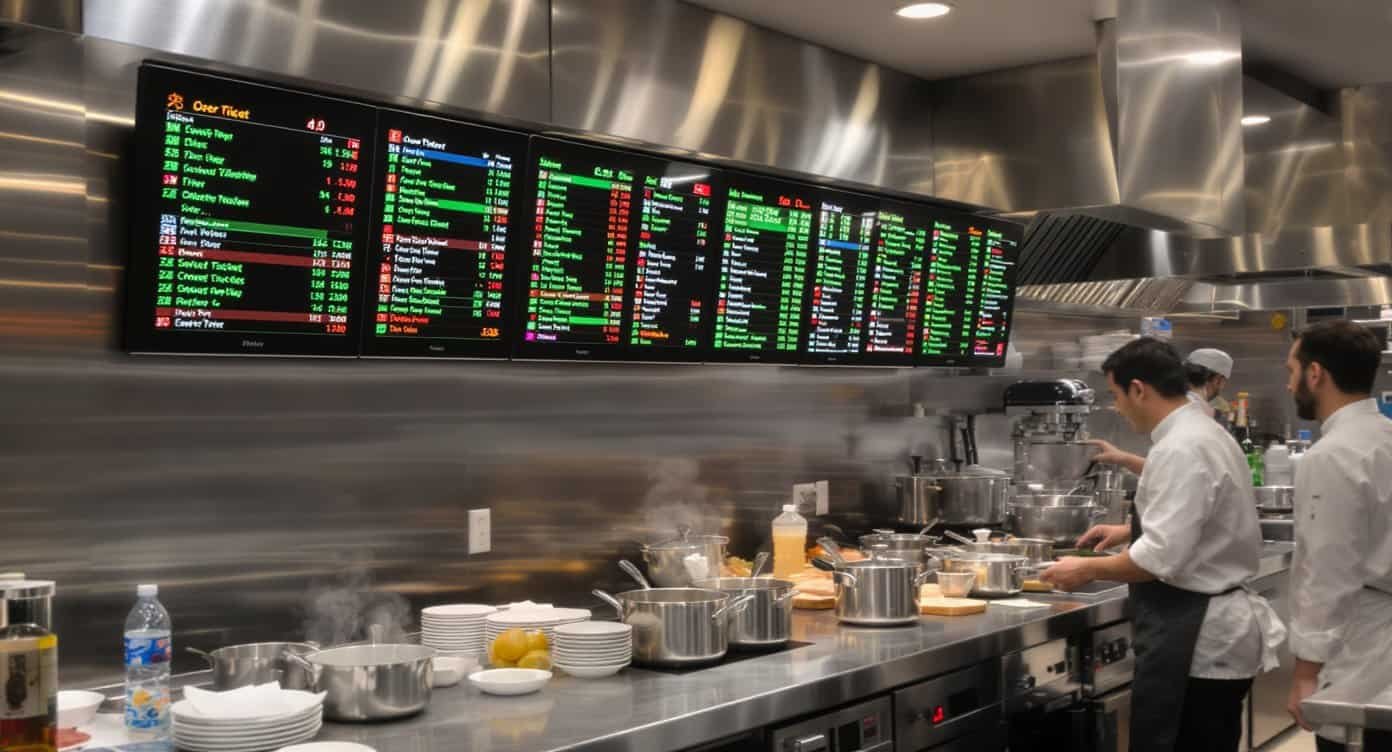
If you’ve ever watched a ticket printer jam during dinner rush, or seen a soggy paper ticket become unreadable under kitchen heat, you know the chaos that follows. Orders get missed. Customers wait too long. Food goes out wrong. And your staff is stuck playing detective, trying to figure out what table ordered what.
Kitchen Display Systems (KDS) solve this problem by replacing paper tickets with digital screens that show orders in real-time, route them to the right stations, and keep your entire kitchen synchronized.
After years of running a restaurant, I learned that the kitchen is where your reputation is made or broken. The technology you use to communicate orders can be the difference between smooth service and constant firefighting.
What Is a Kitchen Display System?
A Kitchen Display System is digital software that displays orders on screens throughout your kitchen instead of printing paper tickets. When a server enters an order into your POS system, it appears instantly on the appropriate kitchen display screen.
Modern KDS platforms do much more than just show orders. They:
- Route orders to specific prep stations (grill, fryer, expo, etc.)
- Track order timing and alert staff when items are taking too long
- Coordinate courses so appetizers don’t come out with entrees
- Provide real-time performance data on ticket times and kitchen efficiency
- Integrate with online ordering platforms and delivery services
- Create a paper trail for order accuracy disputes
Why Restaurants Are Switching from Paper Tickets
The traditional ticket printer served restaurants well for decades, but it has serious limitations in modern operations.
Paper tickets create bottlenecks. Printers jam. Ink runs out mid-rush. Tickets fall off the rail. Water and grease make them unreadable. And when you’re slammed with dine-in, takeout, and delivery orders simultaneously, that little printer becomes a single point of failure.
Communication breaks down. A ticket might say “no onions” but the line cook misses it in the handwriting. The expo (expeditor) can’t see what’s been fired (an order has been started) and what’s still waiting. Servers have no visibility into kitchen status, so they keep asking “how long on table 12?” while your cooks are trying to focus.
You lose valuable data. Paper tickets go in the trash. You have no record of how long orders actually took, which items consistently run late, or which shifts are struggling with timing. You’re managing blind.
A KDS eliminates these issues while adding capabilities that paper simply can’t match.
How KDS Improves Kitchen Operations
Order Accuracy
Digital displays are clear and legible. No more squinting at smudged handwriting or faded thermal paper. Modifiers and special requests are prominently displayed in consistent formatting. Color coding highlights allergens or priority items. When the order is right there in bold text, mistakes decrease dramatically.
Speed and Timing
KDS tracks how long each order has been active and color-codes tickets based on wait time. An order might start white, turn yellow at five minutes, and go red at ten minutes. This visual cue helps kitchen staff prioritize without constantly checking the clock.
Course management ensures appetizers go out before entrees. The system can hold items until earlier courses are complete, preventing the classic problem of everything hitting the table at once.
Kitchen Coordination
In a multi-station kitchen, KDS routes orders to the right screens automatically. The grill station sees burger orders. The salad station sees salads. The expo station sees everything and can coordinate timing across all stations.
When the grill cook marks a burger done, the expo sees that update instantly. No more shouting across the kitchen or hunting for tickets.
Online Order Integration
Third-party delivery orders from DoorDash, Uber Eats, and GrubHub flow directly into your KDS alongside dine-in orders. Everything appears in one unified queue, preventing the chaos of managing multiple tablets and trying to slot online orders into your regular workflow.
Performance Insights
Modern KDS platforms track detailed metrics: average ticket time by meal period, which menu items take longest to prepare, which stations are bottlenecks, and how individual cooks perform during different shifts. This data helps you optimize your kitchen layout, adjust staffing, and refine your menu.
Key Features to Look For
Not all Kitchen Display Systems are created equal. When evaluating options, focus on these critical features:
Ease of Use
Your kitchen staff needs to understand the system within minutes, not hours. The interface should be intuitive with large, clear buttons and logical workflows. If training takes more than 15 minutes, the system is too complicated.
Bump Bar Integration
Physical bump bars let cooks mark orders complete with a simple touch, without stopping to tap a screen with greasy fingers. This speeds up service and keeps the flow moving.
Customizable Routing Rules
You should be able to define exactly which orders go to which stations based on items, order type, or time of day. A breakfast order might route differently than dinner service.
Offline Functionality
Internet outages happen. Your KDS needs to continue operating even when connectivity drops, then sync data when the connection returns. Losing order flow during service is unacceptable.

Mobile Compatibility
Managers and expo staff benefit from seeing kitchen status on tablets or phones, especially in larger operations where you can’t stand at one station all night.
Integration Capabilities
The KDS should integrate seamlessly with your existing POS system and accept orders from all your online platforms without manual entry or workarounds.
Popular KDS Solutions
Several established platforms dominate the restaurant KDS market, each with different strengths.
Toast KDS works seamlessly if you’re already using Toast POS. The integration is effortless, and the system is designed specifically for restaurants. Pricing runs about $50-$80 per screen monthly, but you’re locked into the Toast ecosystem.
Square Kitchen Display System offers similar tight integration for Square POS users at a lower price point, around $20-$40 per screen monthly. It’s excellent for smaller operations but may lack advanced features larger restaurants need.
Fresh KDS specializes in kitchen display technology and integrates with multiple POS systems. It offers robust features, detailed analytics, and flexible deployment options. Pricing is typically higher but justified for operations that need advanced functionality.
Oracle MICROS Kitchen Display serves enterprise-level operations with complex needs. If you’re running multiple locations or a large-scale operation, MICROS provides the power and customization you need, though at enterprise pricing.
Linga KDS provides solid performance at competitive pricing and works with various POS systems. It’s a good middle-ground option for independent restaurants that want quality without enterprise costs.
Implementation: What to Expect
Rolling out a KDS requires planning, but the process is straightforward if you prepare properly.
Hardware Requirements
You’ll need commercial-grade displays for each kitchen station, typically 15-22 inch touchscreens designed to handle heat, moisture, and constant use. Consumer displays won’t survive a professional kitchen environment. Budget $400-$800 per screen for quality commercial units.
Mounting hardware, cabling, and any bump bars add to the hardware cost. A typical three-station kitchen might invest $3,000-$5,000 in displays and accessories.
Installation Timeline
Software setup usually takes a few hours. Your POS integration might require technical support from both vendors. Plan for one to two days of configuration and testing before going live.
Staff Training
Training is critical but quick. Most systems are intuitive enough that cooks pick them up within a single shift. Have your KDS vendor conduct hands-on training during a slow period, then run the system parallel with paper tickets for a day or two until everyone is comfortable.
Cost Considerations
Beyond hardware, expect monthly software fees of $30-$80 per screen depending on the platform and feature set. Some vendors charge per location rather than per screen.
Calculate ROI based on reduced food waste from order errors, faster table turns, and labor savings from improved efficiency. Most restaurants see payback within 6-12 months.
Common Challenges and Solutions
Staff Resistance
Kitchen veterans often resist change. They’ve used paper tickets for twenty years and don’t see why they should learn something new. Address this by involving key kitchen staff in the selection process and demonstrating how KDS makes their jobs easier, not harder.
Focus on pain points they experience daily: unreadable tickets, lost orders, constant questions from servers. Show how KDS solves these specific problems.
Screen Placement
Poor screen placement creates new bottlenecks. Displays need to be positioned where cooks can see them clearly without stopping work. Don’t mount screens where steam, heat, or bright light makes them hard to read.
Visit your kitchen during service and identify the natural sightlines for each station. Place screens where cooks already look, not where you have to force them to turn around.
Technical Issues
Like any technology, KDS can have glitches. Have a backup plan for continuing service if the system goes down. Keep your old ticket printer as emergency backup until you’re absolutely confident in the new system.
Ensure you have immediate technical support access, especially during your first few weeks live.
Making the Transition
The jump from paper to digital feels significant, but thousands of restaurants make this transition successfully every year.
Start by documenting your current kitchen workflow. Which stations handle which items? How do orders flow from entry to expo? Understanding your existing process helps you configure the KDS to match your operation rather than forcing your operation to match the software.
Run the KDS parallel with paper tickets for the first few days. Let your kitchen staff build confidence while maintaining the safety net of paper backup. Most teams are ready to go digital-only within a week.
Monitor the transition closely. Walk through service periods, watch how staff interact with the screens, and gather feedback. Small adjustments in the first week prevent bigger frustrations later.
The Bottom Line
Kitchen Display Systems aren’t flashy technology. They don’t have AI or machine learning or blockchain or whatever the latest tech buzzword is. They’re practical tools that solve real operational problems.
If you’re still running paper tickets, you’re leaving money on the table through food waste, slower service, and lack of operational insights. The investment in KDS pays for itself through better accuracy, faster ticket times, and data-driven kitchen management.
The question isn’t whether to implement KDS. It’s how quickly you can make the transition before your competition does.
Your kitchen is the heart of your restaurant. Give it the tools it deserves.